Kiosk with WPE
Nowadays, an increasing number of embedded systems run their Human-Machine Interface (HMI) through a local web interface. A web kiosk is often the ideal solution for this purpose.
This post explains how to set up a web kiosk in a Yocto-based distribution.
WPE WebKit
While most browsers support kiosk mode, building browsers like Chromium in Yocto can be painful and less suitable for embedded systems. WPE WebKit, a port of the Webkit Web rendering engine, is a more efficient alternative for this use case.
Cog
Cog is a simple and minimalistic browser using WPE, with no user interface, designed for kiosk applications. Several platforms are supported, including Wayland compositors, X11 or DRM.
In this post, we will focus on the DRM platform, which requires Wayland and GLESv2 libraries.
Before continuing, check if your hardware and selected plaftorm are supported by WPE and Cog.
Distro Configuration
To integrate WPE WebKit and Cog into your Yocto distribution, include the following layers:
Add the following configuration to your distribution configuration:
DISTRO_FEATURES:append = " opengl wayland"
PREFERRED_PROVIDER_virtual/wpebackend = "wpebackend-fdo"
Kiosk Service
A simple systemd service can launch Cog at boot with a predefined URL. Here’s an example:
[Unit]
Description=Kiosk on %I
After=systemd-user-sessions.service
Before=graphical.target
ConditionPathExists=/dev/tty0
Wants=dbus.socket systemd-logind.service
After=dbus.socket systemd-logind.service
Conflicts=getty@%i.service
After=getty@%i.service

[Service]
Type=simple
ExecStart=cog @@URL@@ -P drm -O renderer=gles
Restart=always
TTYPath=/dev/%I
TTYReset=yes
TTYVHangup=yes
TTYVTDisallocate=yes
StandardInput=tty-fail
StandardOutput=journal
StandardError=journal

[Install]
WantedBy=graphical.target
DefaultInstance=tty7- The
-Poption specifies the DRM platform. - The
renderer=glesoption sets the rendering mode to OpenGL ES. - Rotation can also be set with
rotationoption.
To install this service, use the following BitBake recipe:
SUMMARY = "Web kiosk for user interaction"
DESCRIPTION = "Run the web browser cog (wpewebkit)"
LICENSE = "CLOSED"
LIC_FILES_CHKSUM = ""

inherit systemd

SRC_URI = "file://kiosk@.service.in"

RDEPENDS:${PN} = "cog wpewebkit"

SYSTEMD_AUTO_ENABLE:${PN} = "enable"
SYSTEMD_SERVICE:${PN} = "kiosk@.service"

URL = "testufo.com"

do_install() {
    sed -e 's,@@URL@@,${URL},' \
        "${WORKDIR}/kiosk@.service.in" > ${B}/kiosk@.service

    install -d "${D}${systemd_unitdir}/system"
    install -m 0644 ${B}/kiosk@.service ${D}${systemd_unitdir}/system
}

FILES:${PN} = "\
    ${systemd_unitdir}/system/kiosk@.service \
"
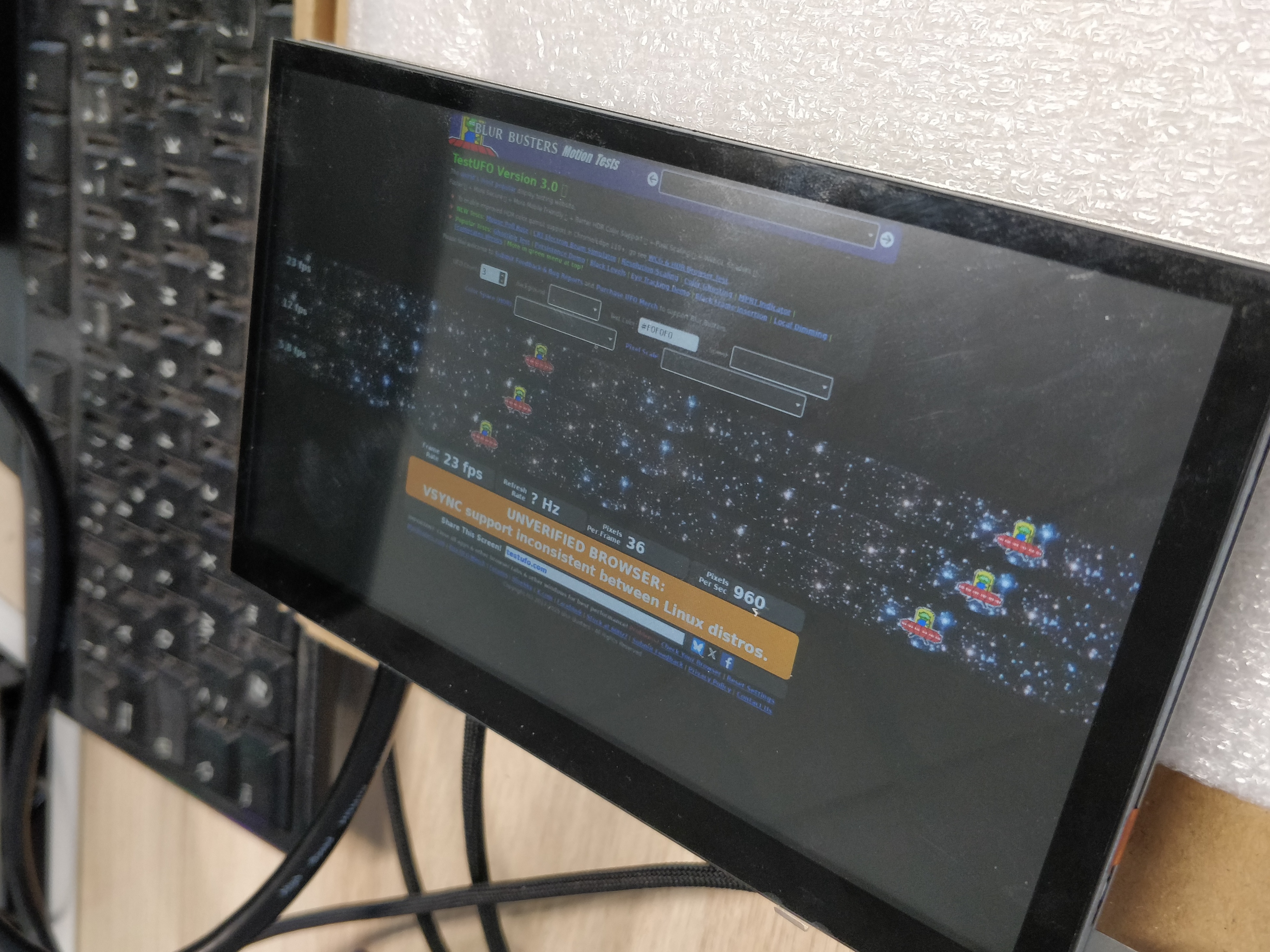
When started, the website should be displayed on the screen:
Cog D-Bus API
Cog includes a D-Bus API, which is disabled by default. To enable it, add the following to your configuration:
PACKAGECONFIG:pn-cog += "dbus"You can specify the D-Bus owner using COG_DBUS_OWN_USER variable (empty by default).
The API is limited but supports basic operations defined in cog-launcher.c:
cog_launcher_add_action(launcher, "quit", on_action_quit, NULL);
cog_launcher_add_action(launcher, "previous", on_action_prev, NULL);
cog_launcher_add_action(launcher, "next", on_action_next, NULL);
cog_launcher_add_action(launcher, "reload", on_action_reload, NULL);
cog_launcher_add_action(launcher, "open", on_action_open, G_VARIANT_TYPE_STRING);
For example, to open a webpage, use the following command:
busctl call com.igalia.Cog /com/igalia/Cog org.gtk.Actions Activate sava{sv} "open" 1 s "http://pierreloup.fr" 0GPU Stack
Depending on your BSP, the default proprietary GPU stack may not support Cog (refer to the supported hardware). In such case, switching to the open-source Mesa GPU stack can be a solution.
Mesa + etnaviv on i.MX
For instance, the proprietary NXP Vivante GPU stack only supports the Wayland platform with their patched Weston compositor. Thus, wlroots-based compositors (such as Sway, Cage and Labwc) and the DRM plaftorm are not supported by the Vivante GPU stack.
To use Mesa, set the preferred providers of the GPU stack to mesa.
This can be achieved by removing the following overrides in the
MACHINEOVERRIDES_EXTENDER variable: imxgpu:imxviv
:imxgpu2d:imxgpu3d:imxvulkan, or manually set the providers.
Additionally, disable the Vivante driver in the kernel configuration and enable the Etnaviv driver instead:
CONFIG_DRM_SCHED=y
CONFIG_DRM_ETNAVIV=y
# CONFIG_MXC_GPU_VIV is not set
Ensure that your board’s device tree configures the GPU node to use the Etnaviv driver with the vivante,gc compatible property.
If not, patch your device tree as below (imx8mp):
From f1f48f0ccd0467e3478b1f452497941aa3e981cb Mon Sep 17 00:00:00 2001
From: Pierre-Loup GOSSE <pierre-loup.gosse@smile.fr>
Date: Thu, 19 Feb 2026 15:50:36 +0100
Subject: [PATCH 1/1] Change the compatible property for gpu2d/3d for i.MX8MP

Use the etnaviv driver instead of vivante.
---
 arch/arm64/boot/dts/freescale/imx8mp.dtsi | 4 ++--
 1 file changed, 2 insertions(+), 2 deletions(-)

diff --git a/arch/arm64/boot/dts/freescale/imx8mp.dtsi b/arch/arm64/boot/dts/freescale/imx8mp.dtsi
index c4c67c231b21..63a17997ede3 100644
--- a/arch/arm64/boot/dts/freescale/imx8mp.dtsi
+++ b/arch/arm64/boot/dts/freescale/imx8mp.dtsi
@@ -2294,7 +2294,7 @@ vpu_v4l2: vpu_v4l2 {
        };

        gpu_3d: gpu3d@38000000 {
-               compatible = "fsl,imx8-gpu";
+               compatible = "vivante,gc";
                reg = <0x0 0x38000000 0x0 0x8000>;
                interrupts = <GIC_SPI 3 IRQ_TYPE_LEVEL_HIGH>;
                clocks = <&clk IMX8MP_CLK_GPU3D_ROOT>,
@@ -2317,7 +2317,7 @@ gpu_3d: gpu3d@38000000 {
        };

        gpu_2d: gpu2d@38008000 {
-               compatible = "fsl,imx8-gpu";
+               compatible = "vivante,gc";
                reg = <0x0 0x38008000 0x0 0x8000>;
                interrupts = <GIC_SPI 25 IRQ_TYPE_LEVEL_HIGH>;
                clocks = <&clk IMX8MP_CLK_GPU2D_ROOT>,
--
2.34.1
Also, verify that your device tree does not enable a “ghost” screen, as Cog might use it. In my case, Cog was incorrectly using an unplugged LVDS screen instead of the HDMI output.
Running Cog in Cage
Cage is a kiosk-oriented compositor based on wlroots. If your project requires a Wayland session, you can run Cog in Cage using the WL platform. However, this setup requires addtional system configuration. The Cage wiki provides detailled instructions.
Additionally, Cage supports multi-screen setups, whereas Cog + DRM does not.
If you use seatd instead of systemd-logind, be sure that stead systemd service is installed and running. Depending on your Yocto release, the service might not be installed by default in the seatd recipe (refer to seatd: Create seat user and package systemd service)
From my experience, there was no noticeable performance difference between running Cog with DRM and with Cage.